
WP 301 REDIRECTS PRO

Description
WP Reset PRO
TL;DR
 Instantly reset or delete sections of your WP site, plus restore hacked or damaged sitesCreate Collections of your favorite themes and plugins to easily install on new sitesEasily manage all sites, licenses, Snapshots, and Collections in the dashboard
At-a-glance
Best for
Integrations
Features
Overview
WP Reset is a WordPress plugin that collectively installs themes and plugins, resets defaults, and takes snapshots of your website.
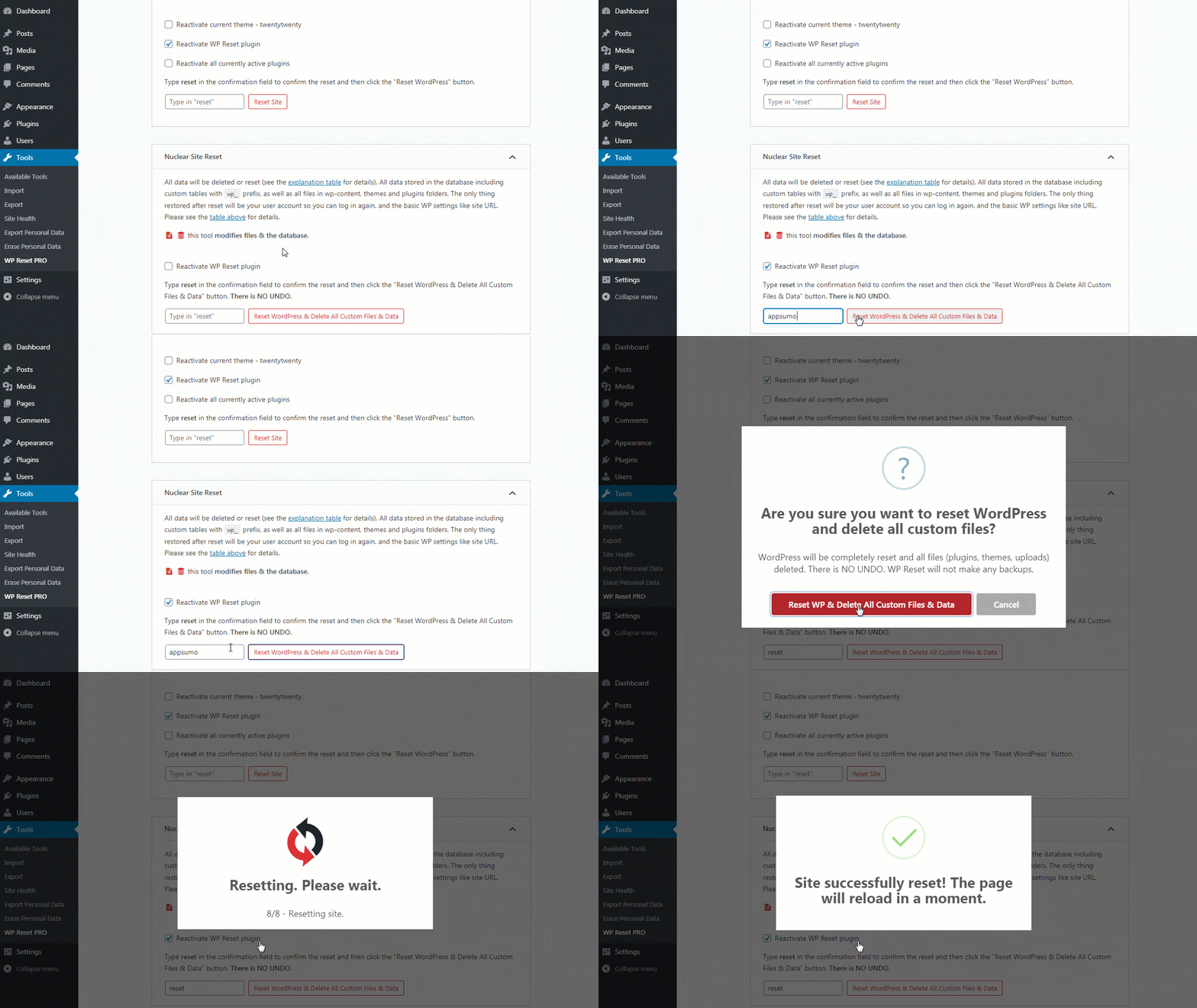
Do a complete reset of your site in seconds, not hours!
Now that your site is all squeaky clean, it’s time to dress it up how you’ve always imagined.
Set up a development environment with Collections, a feature that lets you create a set of plugins and themes to bulk-install and activate from the cloud.
WP developers will love how easy it is to get the design right, every time.
And if you already use MainWP to manage your sites, enable the WP Reset MainWP Extension to get even faster results.
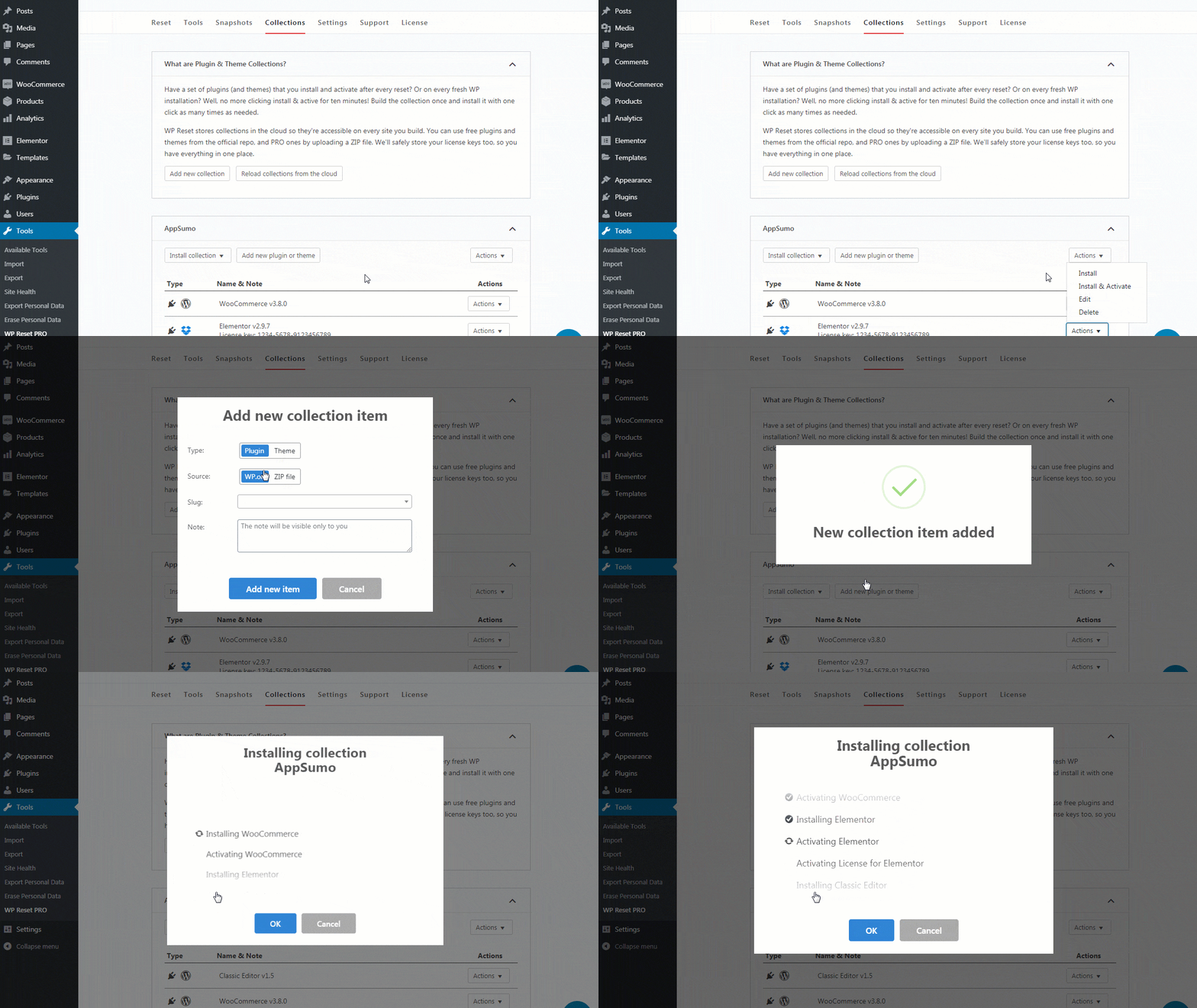
Use Collections to make a set of your favorite plugins and themes for easy installation from the cloud!
WP Reset is also prepared for life’s little whoopsie-daisies (or big whoopsie-daisies, depending on who you ask).
Take a Snapshot of the site to store a copy of the current version to easily return to if need be.
You can also automate the process by letting WP Reset automatically take Snapshots depending on certain actions and events.
These Snapshots are stored in WP Reset Cloud, Dropbox, Google Drive, or pCloud, so you’ll always have a copy waiting for you.
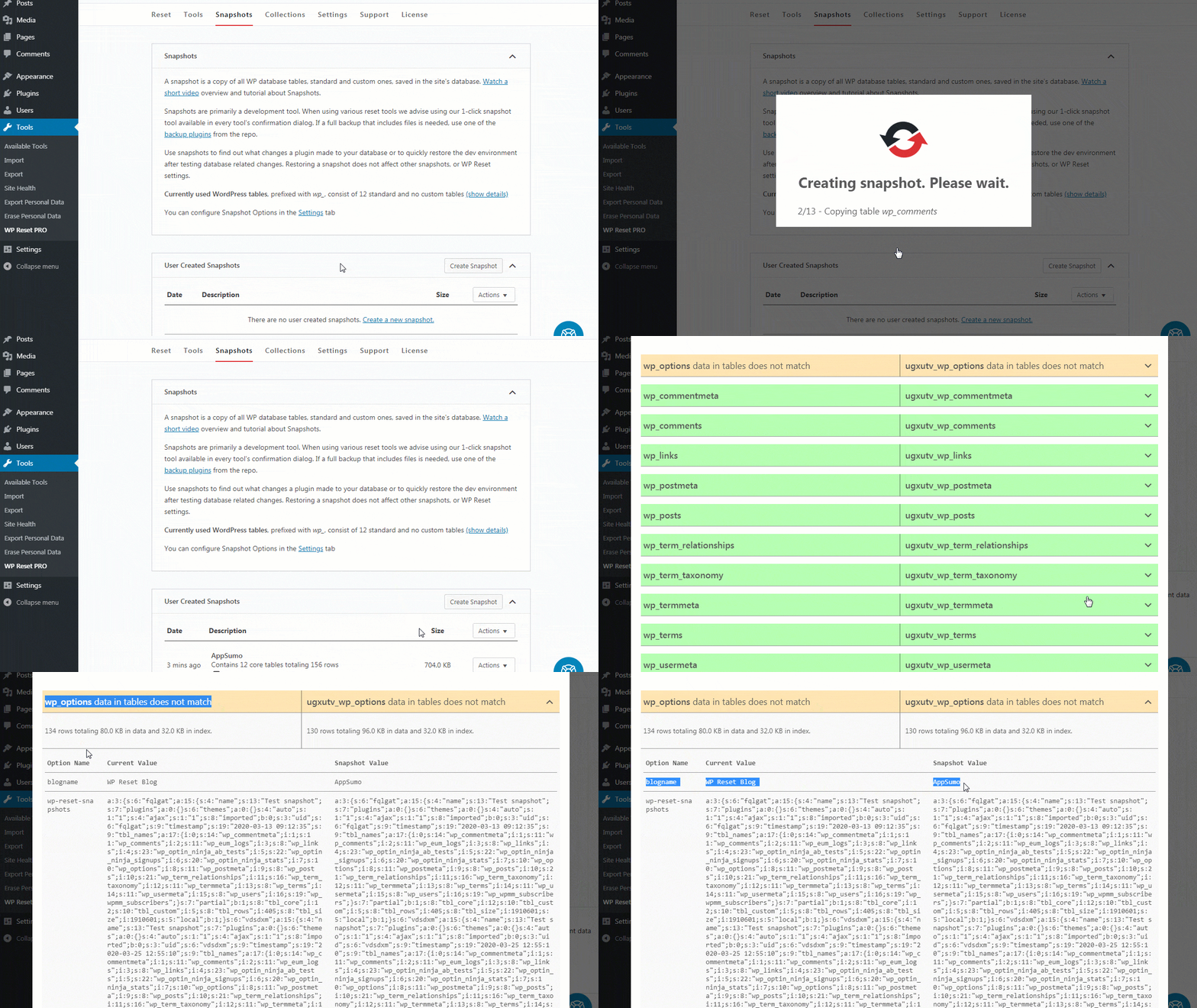
Create a Snapshot to easily return to a previous version of your site, then store copies in the cloud for guaranteed access.
Okay, so your site has been hacked or plagued by the dreaded white screen of death. No need to panic.
Even if you can’t access your site admin, you can use WP Reset’s Emergency Recovery Script to reclaim your website.
This powerful feature comes with over 12 tools, including support for Snapshots to get your site out of any sticky situation.
Plus, you can recover a client site if you haven’t already installed the plugin. (Not all heroes wear capes.)
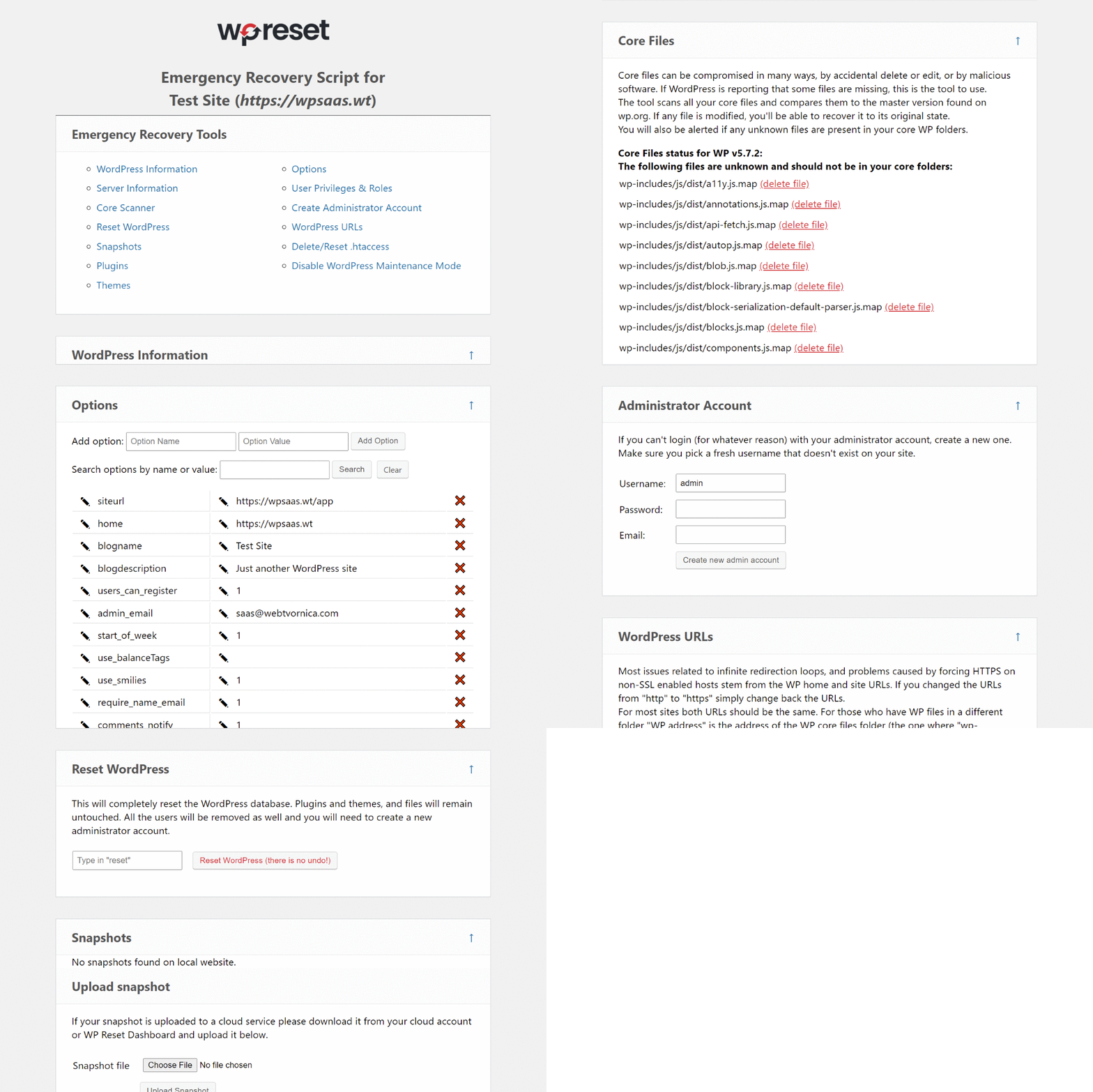
Use the Emergency Recovery Script to completely restore your site, even from the white screen of death!
The Dashboard is the central hub for controlling client licenses, sites, Collections, Snapshots, and Brands.
Add a new site, block sites from using the WP Reset plugin, or enable white-labeling for one client but not another.
From the Dashboard, you can also access remote site actions, including remote Snapshot stats, access to the Emergency Recovery Script, and license sync.
Plus, the license key is always hidden in the plugin—even without white-label turned on, so you don’t have to worry about prying eyes.
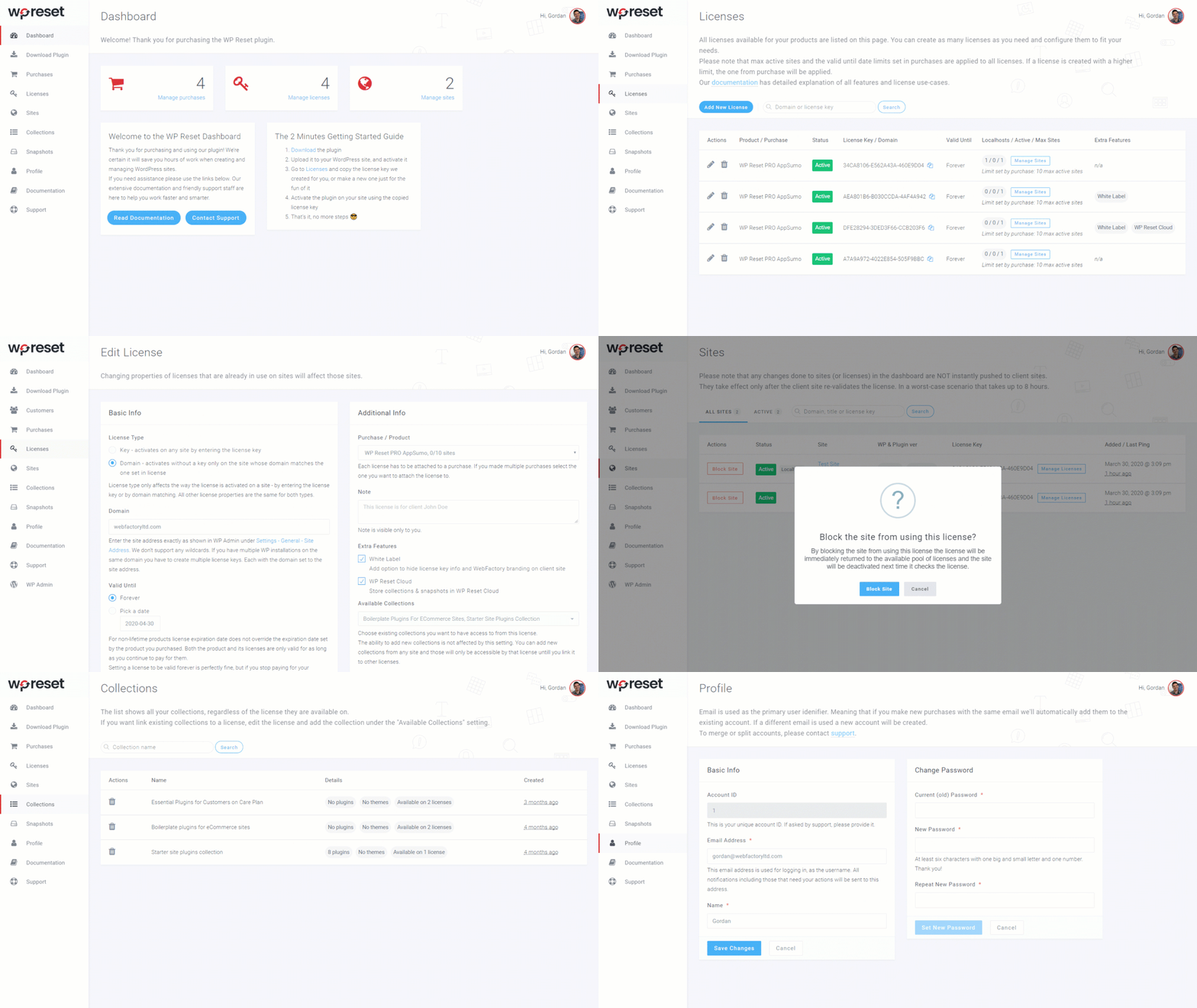
Control your Snapshots, Collections, client licenses, and more right from the Dashboard!
Sometimes instead of fixing something, you just need a do-over (case in point: tattoos of your high school sweetheart’s name and the last season of Game of Thrones).
Whether excess plugins are slowing down your WordPress or you just want to repair your website, you need a tool you can depend on.
WP Reset makes it easy to rebuild your site from the ground up, and stores copies in the cloud so you’re prepared for the worst.
Get lifetime access to WP Reset today!
Plans & features
Deal terms & conditions
- Lifetime access to WP Reset
- All future Pro Plan updates
- If Plan name changes, deal will be mapped to the new Plan name with all accompanying updates
- No codes, no stacking—just choose the plan that’s right for you
- You must activate your license within 60 days of purchase
- Ability to upgrade or downgrade between 3 license tiers
- GDPR compliant
Only logged in customers who have purchased this product may leave a review.
Related Products


Same Contributor

Featured Products

Reviews
There are no reviews yet.